

Our services › Screen print transfers
Screen print transfers in Luxembourg
Screen print transfers bring the quality of screen printing to heat transfer: bold, durable colours, even on difficult fabrics and positions.
Jackets, caps, sportswear, neck labels… We prepare your design and apply your screen print transfers in our workshop in Holzem. Ideal for a logo in a few colours, on almost any item.
What are screen print transfers?
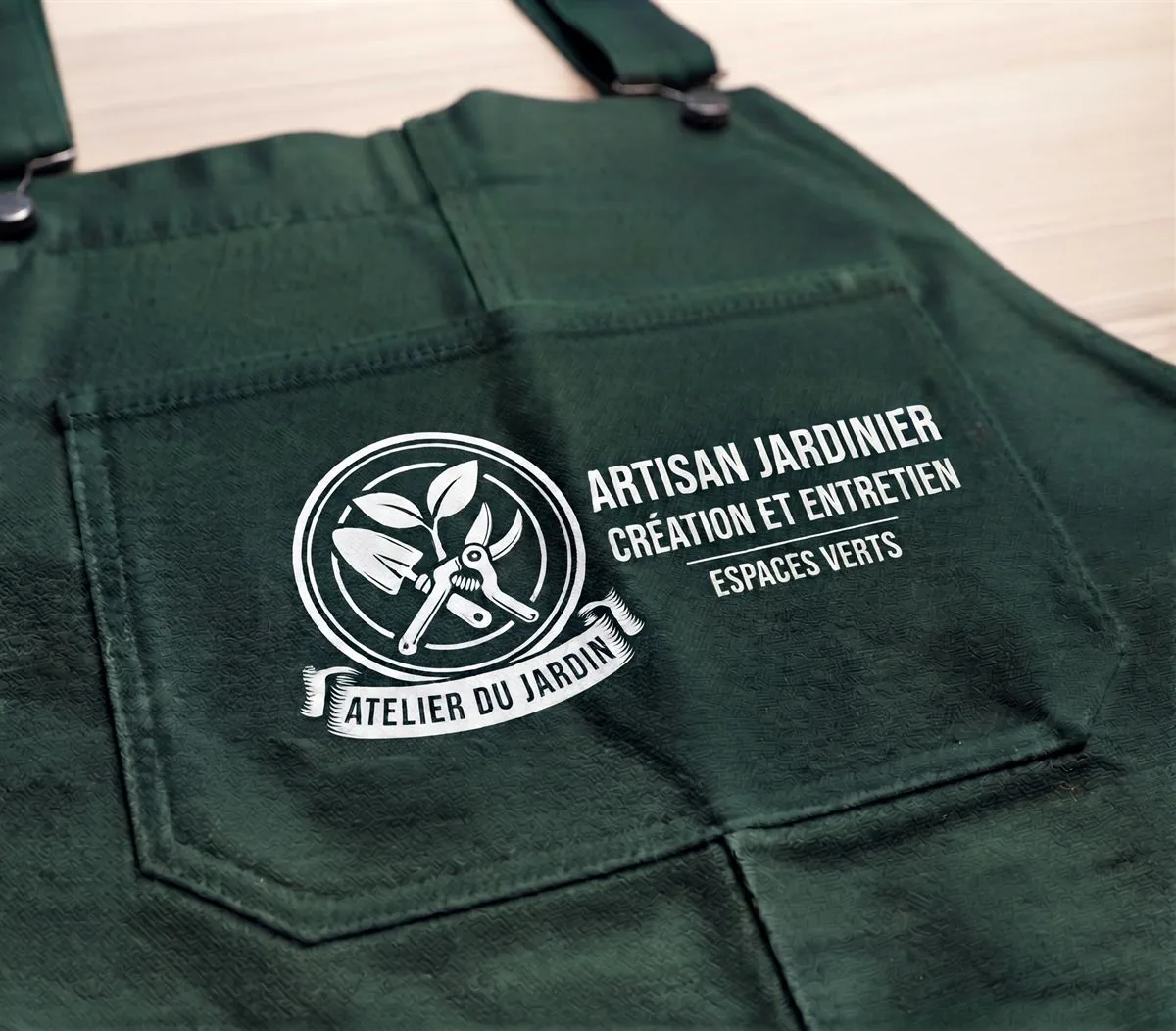
Screen print transfers combine screen printing and heat transfer. Screen printing inks are first printed onto a special paper, colour by colour, using screens. The transfer is then applied to the fabric with a heat press: the ink fuses with the fibre.
The result: the look and durability of screen printing, with the flexibility of a transfer that goes where a screen cannot.
Screen print transfers for businesses, clubs and brands
It is the ideal solution for a company logo in a few colours on jackets, caps or polyester sportswear. Clothing brands also use it for printed neck labels, instead of a sewn-in label.
Screen print transfers on jackets, caps and technical fabrics
Screen print transfers can be applied to cotton, polyester and blends, light or dark. These are the items we customise most often:
Did you know? Screen print transfers accept special inks, such as metallic or fluorescent, for a logo that stands out.
How do screen print transfers work?
- Your requestSend us your design, the items you need, the colours and the quantities.
- PreparationWe prepare your file, separate the colours and send you a proof to approve.
- Printing the transfersYour transfers are screen printed onto special paper, colour by colour.
- Pressing and deliveryWe heat-apply the transfers to your items in our workshop, then they are delivered or ready for collection.
Screen print transfer prices: what affects the cost
As with screen printing, the price mainly depends on the number of colours and the quantity. These are the factors that count:
| Factor | Effect on price |
|---|---|
| Number of colours | Each colour needs its own screen: the fewer colours, the lower the price. |
| Quantity | Preparation is spread over the whole run: the price per item drops with quantity. |
| Design size | A small logo costs less than a large design on the back. |
| Number of positions | Each position (chest, back, sleeve, neck…) is priced separately. |
| Chosen item | The price of the garment or accessory is added to the decoration. |
Tip: for a very colourful design, a photo or a gradient, DTF transfers are better suited. We will recommend the best option.
Recommended screen print transfer sizes and positions
Here are the most common sizes. We adapt them to your design and the chosen item.
| Position | Recommended size | Ideal for |
|---|---|---|
| Left chest | 8 to 10 cm wide | Company logo, workwear |
| Back | 20 to 30 cm wide | Logo, club name, sponsors |
| Sleeve | 6 to 9 cm wide | Logo, flag, website |
| Inside neck | 5 to 8 cm wide | Brand label, size, care |
| Cap | 5 to 10 cm wide | Logo on the front or side |
Advantages and limits of screen print transfers
Advantages
- Accurate, vivid Pantone colours, as with screen printing
- Suitable for almost any fabric, including polyester and dark colours
- Ideal for awkward positions: neck, sleeve, cap
- Fine detail and very good wash resistance
Limits
- Limited to 5 colours, no photos or gradients
- Slight risk of heat marks on some fabrics
- Less suited to very large designs
- Price increases with the number of colours
Screen print transfers, screen printing or DTF: which to choose?
| Screen print transfer | Screen printing | DTF transfer | |
|---|---|---|---|
| Number of colours | Up to 5 | Up to 8 | Unlimited |
| Photos and gradients | No | Less suitable | Yes |
| Polyester and technical fabrics | Yes | Depends on the item | Yes |
| Awkward positions | Yes | Limited | Yes |
| Exact Pantone colours | Yes | Yes | Approximate |
| Durability | Very good | Very good | Very good |
What is the difference between screen printing and screen print transfers?
With direct screen printing, the ink is printed straight onto the garment: ideal for large flat areas, like the front of a t-shirt. With screen print transfers, the ink is printed on paper then heat-pressed: it works on caps, necks, sleeves and technical fabrics.
Both offer accurate Pantone colours and excellent durability.
Which file to send for screen print transfers?
Ideally, a vector file (AI, EPS, SVG or vector PDF), with your colours as Pantone references if you have them. Otherwise, a high-resolution PNG: we prepare your design and separate the colours if needed.
Everything about screen print transfers
What is a screen print transfer?
It is a garment decoration that combines screen printing and heat transfer: the design is screen printed onto special paper, then applied to the fabric with a heat press. It offers the look of screen printing on a wide range of items.
How many colours can a screen print transfer have?
Up to 5 colours, matched to Pantone references. For a photo or a very colourful design, we will recommend a DTF transfer.
How much do screen print transfers cost?
The price mainly depends on the number of colours, the quantity, the design size and the number of positions. Ask us for a quote: it is tailored to your project.
Which fabrics can screen print transfers be applied to?
Most fabrics: cotton, polyester, blends, light or dark. They are also suitable for caps, bags and technical garments.
What is the difference between screen printing and screen print transfers?
With screen printing, the ink is printed directly onto the garment. With screen print transfers, it is printed on paper then heat-pressed, which makes it possible to decorate difficult positions and materials.
Screen print transfers vs DTF: what is the difference?
Screen print transfers are printed with screens: exact Pantone colours, up to 5 colours. DTF transfers are printed digitally: unlimited colours, ideal for photos and gradients.
Are screen print transfers washable?
Yes, very much so: their durability is close to screen printing. Wash the garment inside out at 30 or 40 °C, avoid the tumble dryer and never iron directly on the design.
Which file should I send for screen print transfers?
A vector file (AI, EPS, SVG, PDF) is ideal, with your Pantone colours if you know them. A high-resolution PNG can also work: we prepare your design if needed.
How long does a screen print transfer order take?
Allow 5 to 10 working days after approval of your proof, depending on the quantity. If you need your items by a specific date, please mention it in your quote request.